Features Screenshots Formats Pro Compare Beta Download
Built by Filmmakers · macOS Native

Professional
Subtitling
for macOS

Built by film-industry professionals. Frame-accurate spotting, on-device AI, and broadcast & cinema delivery — native to macOS, lightweight and fast, on a free, open-core foundation.

18
Export Formats
100%
Native macOS
Free
Core & Editing
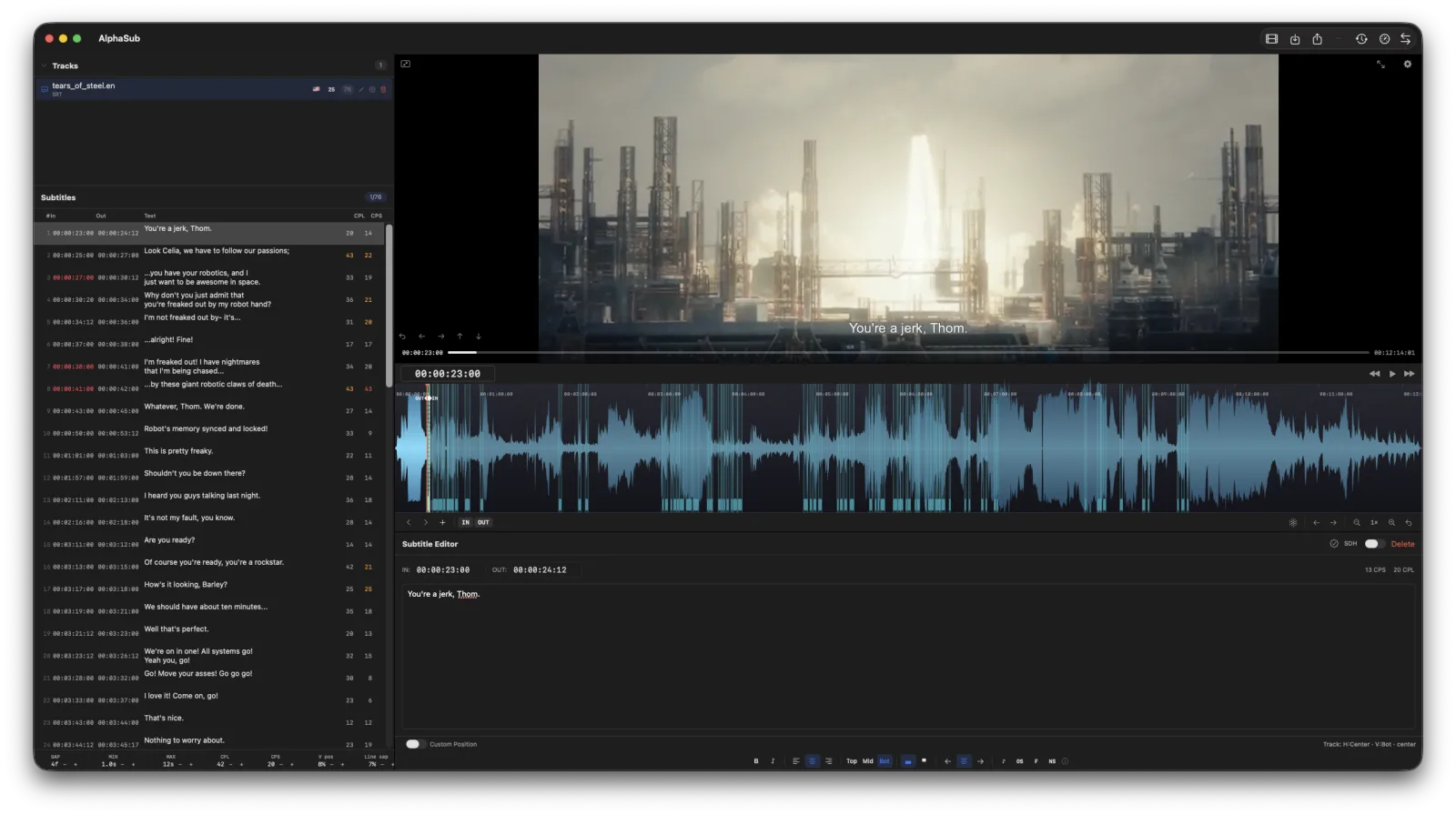
AlphaSub main window — track list, subtitle table, video preview, waveform and editor

Everything you need for
professional subtitling

From waveform-based spotting to on-device AI transcription, AlphaSub covers the entire subtitling workflow — frame-accurate and standards-compliant.

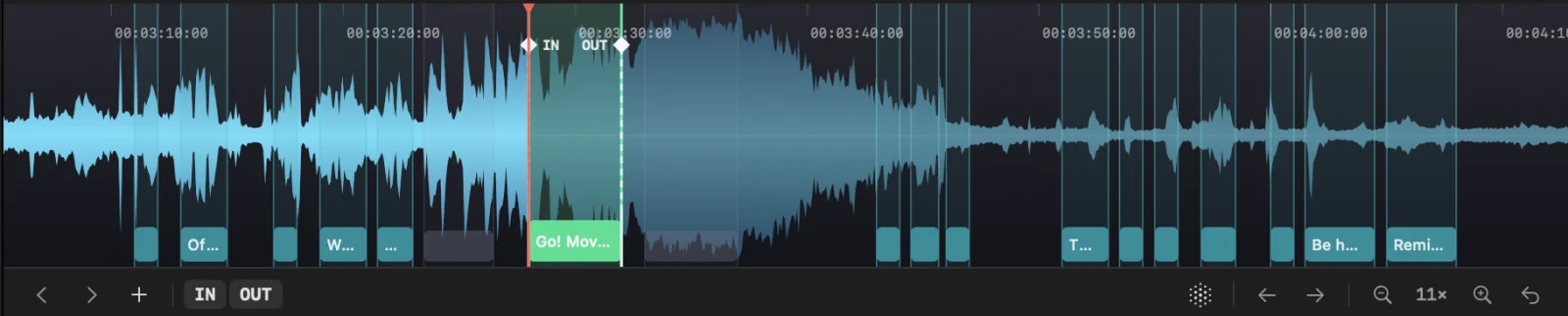
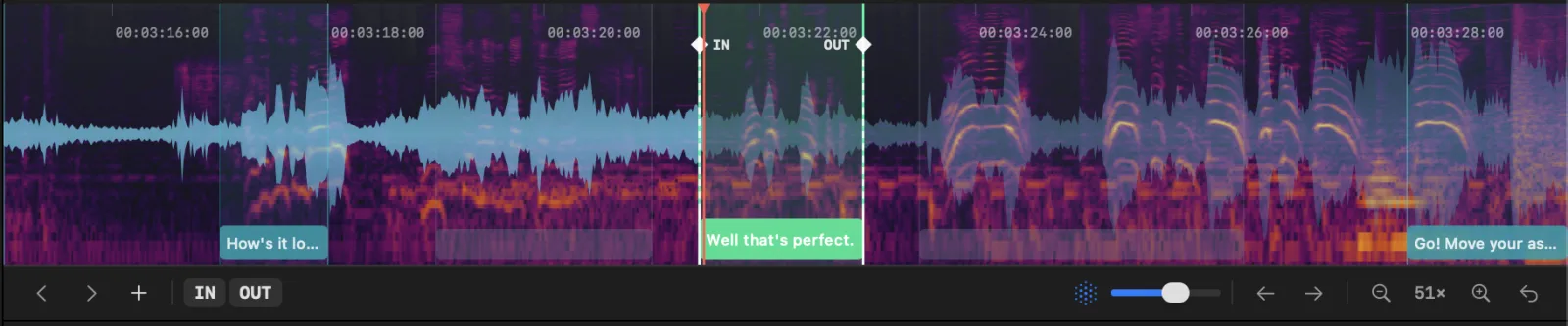
Waveform & Spectrogram

Spot to a scrollable waveform and an RX-style spectrogram, with VAD-based speech detection to find dialogue fast.

Multi-Track Workflow

Import and compare multiple subtitle files side by side. Convert between formats, merge translations, and manage tracks for multi-language releases.

Frame-Accurate Editing

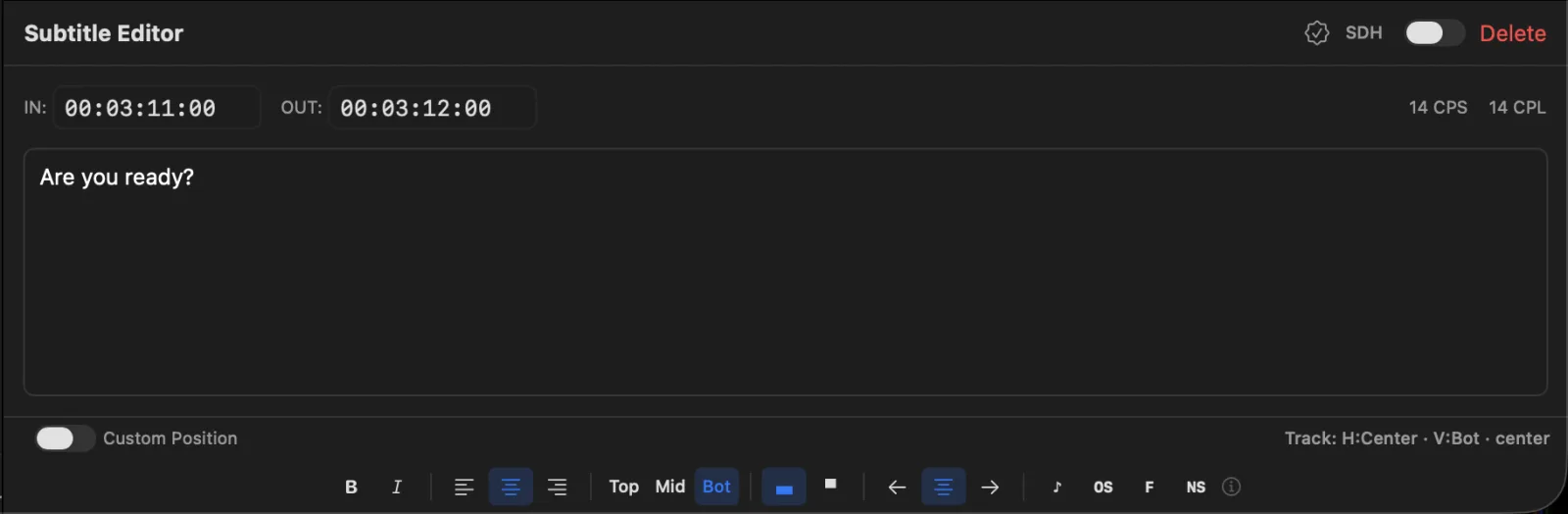
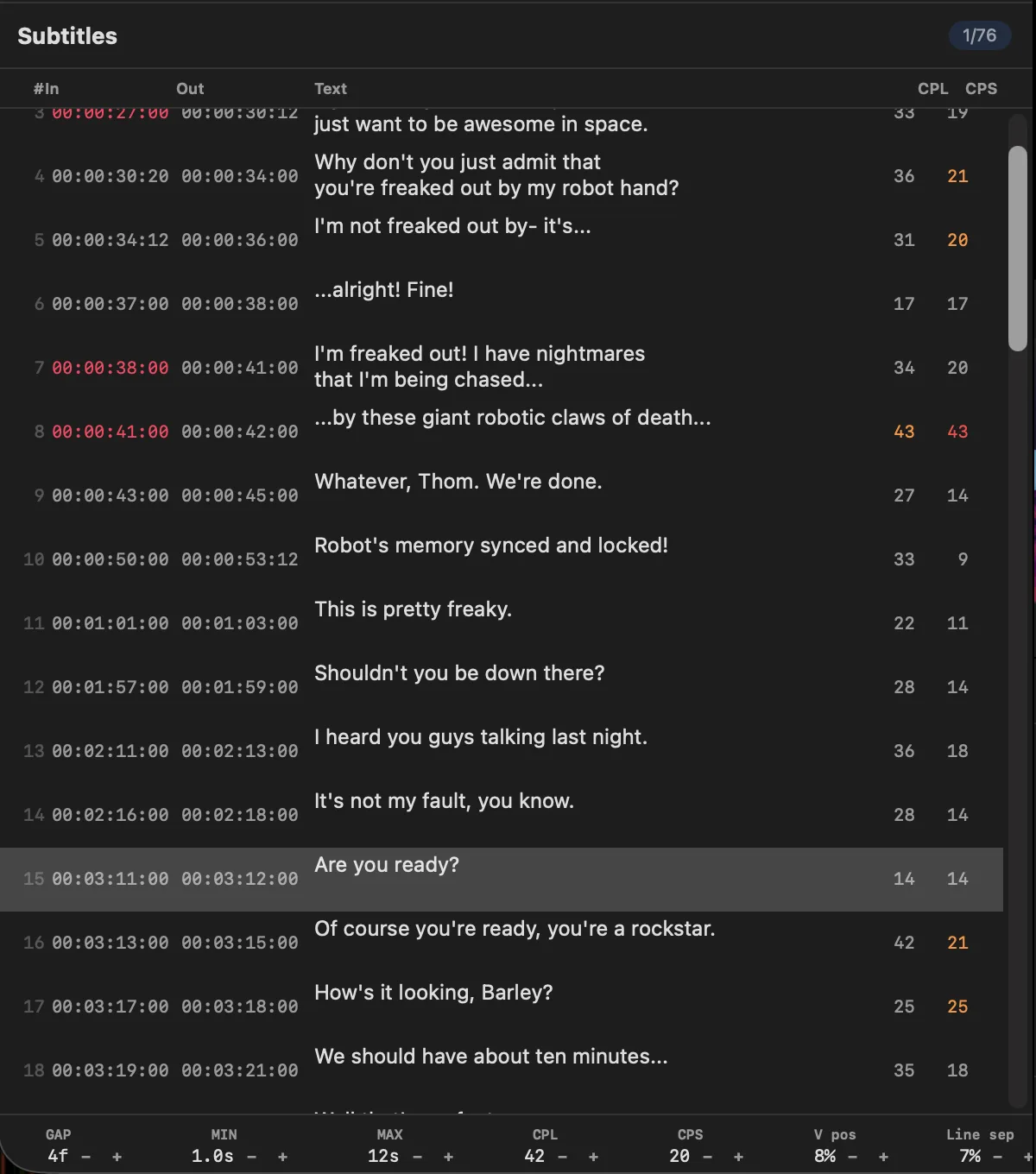
SMPTE and drop-frame timecodes, partial italics, vertical & horizontal positioning, and live CPS / CPL / WPM reading-speed thresholds.

On-Device AI, or Bring Your Own

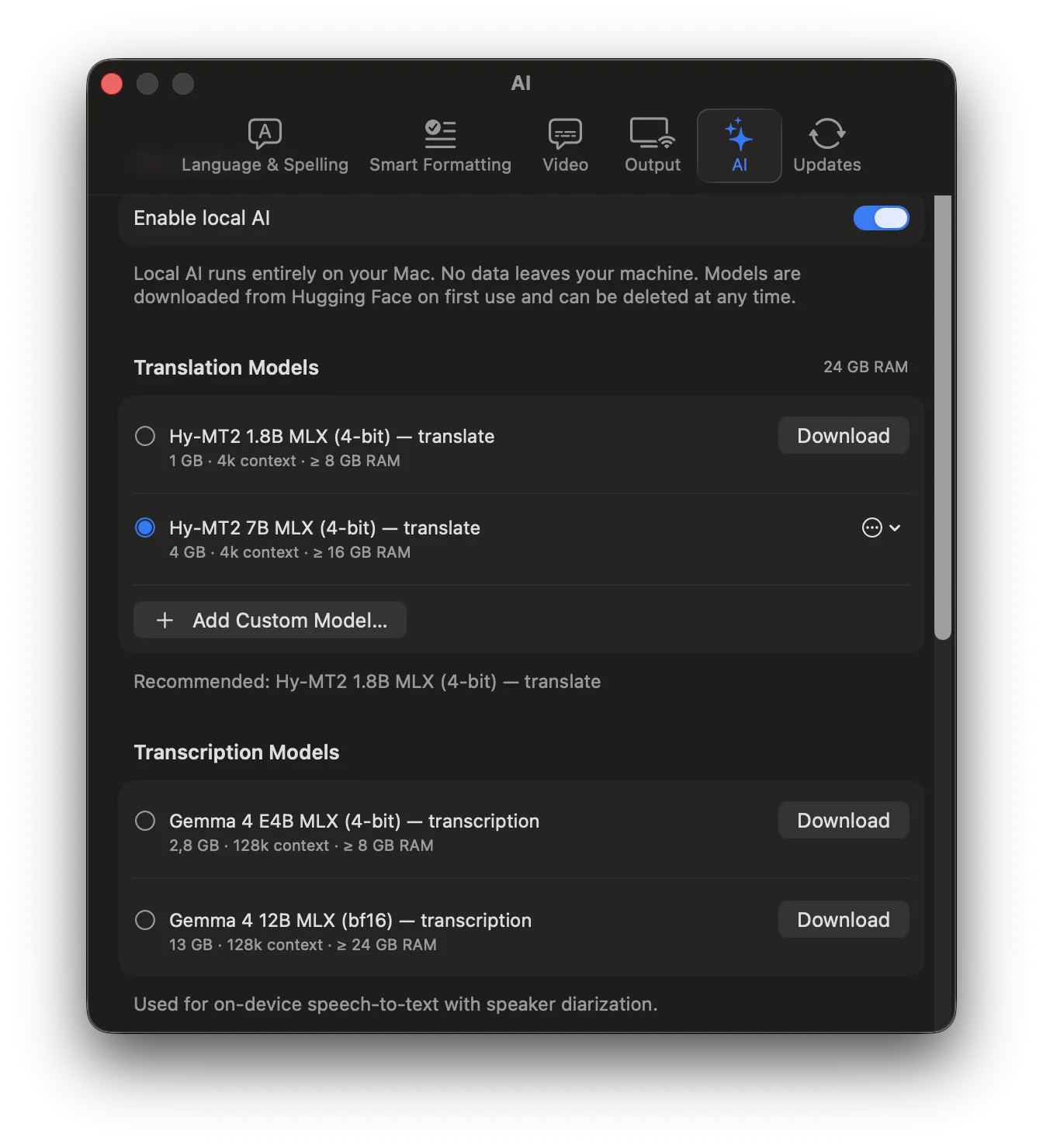
Speech recognition, translation, and speaker diarization run entirely on your Mac — private, fast, and free. Prefer a cloud model? Connect a subscription (OpenAI, Claude, Gemini, Mistral, OpenRouter…), a local server (Ollama, LM Studio, MTPLX), or DeepL with your own account or API key (Pro) — AlphaSub fetches the available models. Always your choice.

Live Video Preview

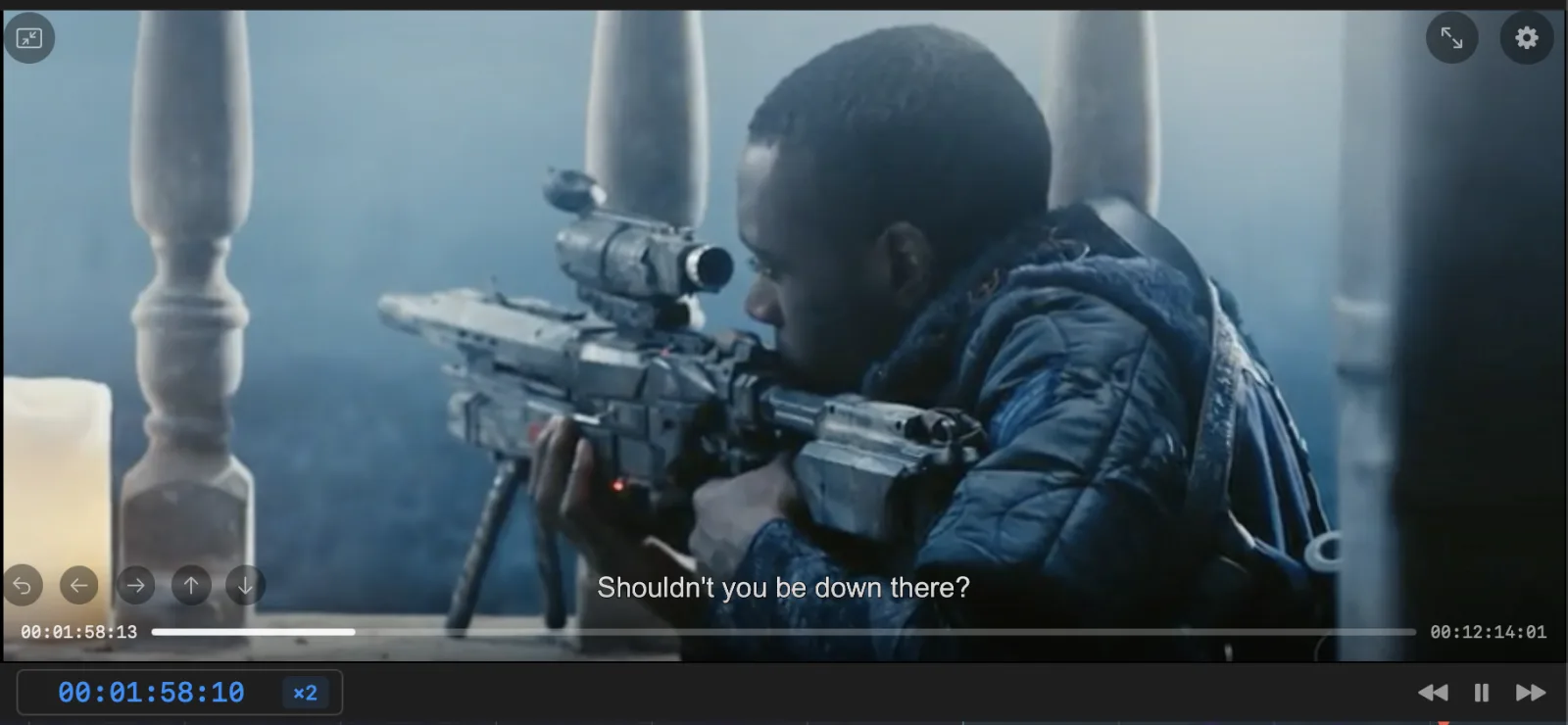
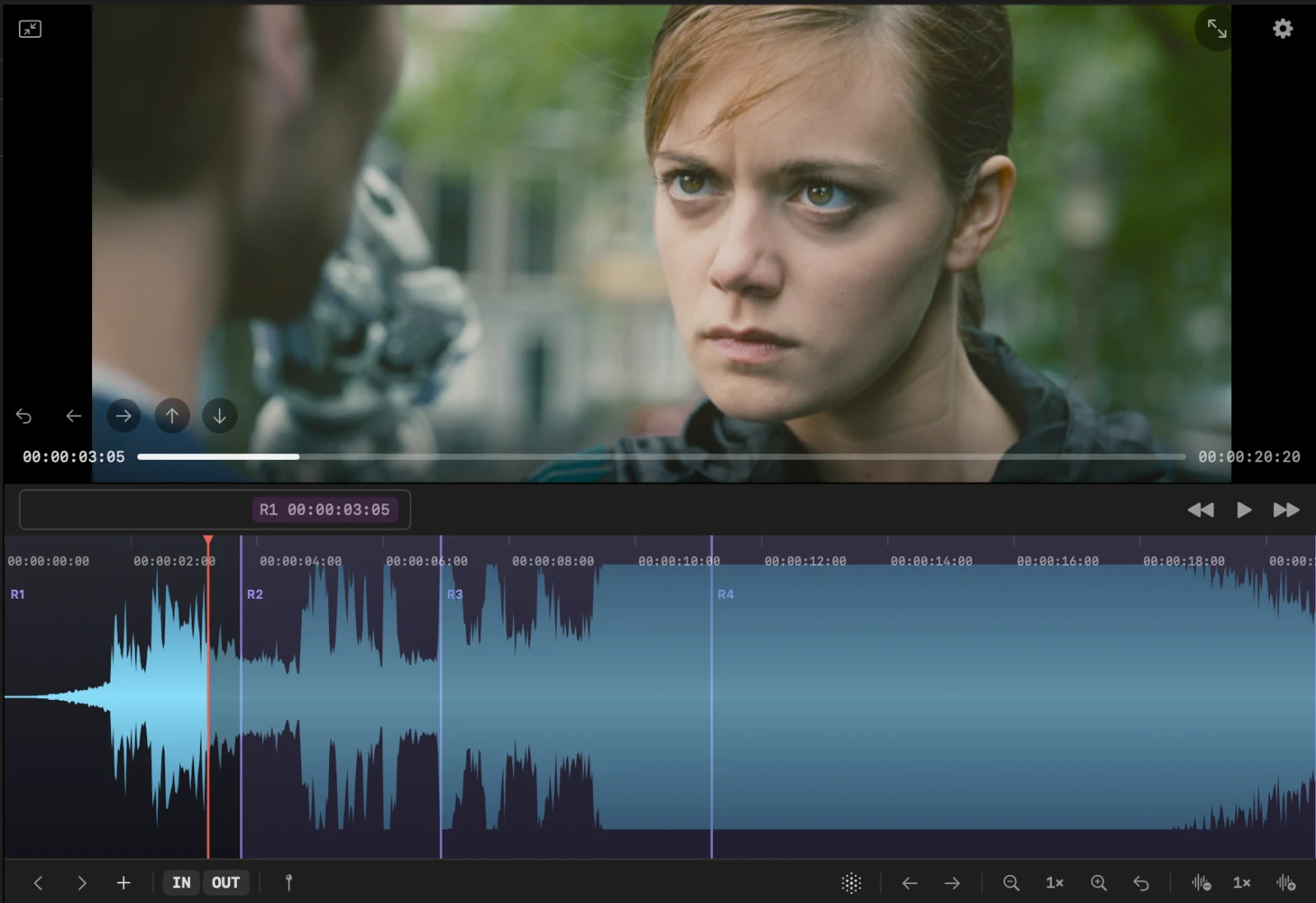
Real-time subtitle overlay on video with JKL shuttle control. Preview styling — fonts, colors, borders, and positioning — exactly as it will render.

Quality Control

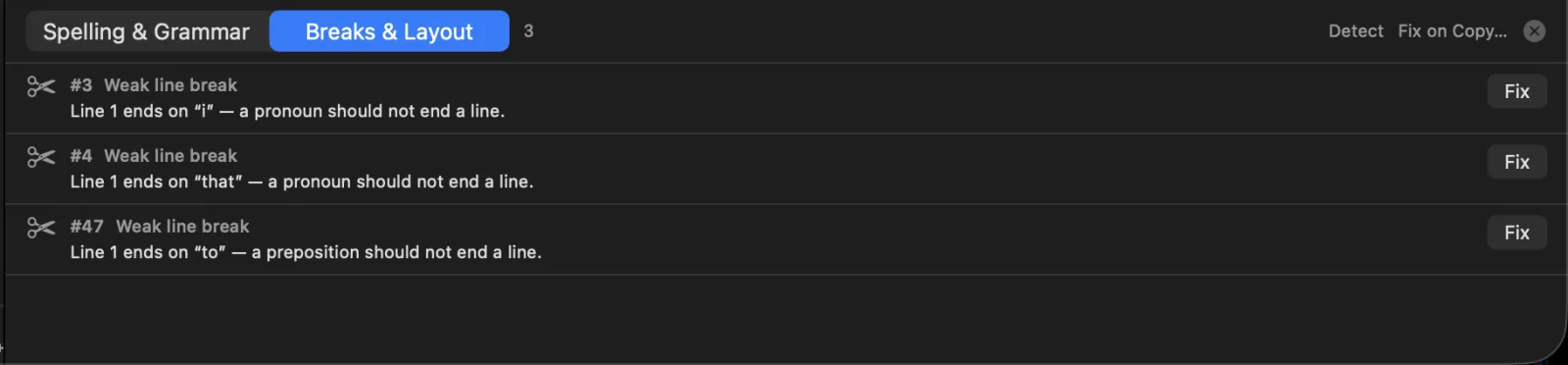
Pre-delivery conformance checks per format, a native grammar & spelling linter, shot-change detection, and VAD-based resync to your video.

Native, Light & Fast

Written in Swift as a true macOS app — no Electron, no browser engine. It launches instantly, sips memory, and drives 4K playback and waveforms smoothly on Apple Silicon and Intel.

Real-Time Collaboration

Host or join a live session and subtitle together — several editors on one project with conflict-free sync, ideal for teams sharing a reel or reviewing in real time.

Intuitive, Modular Interface

A clean, native macOS layout you shape to your workflow — collapse panels, resize the waveform, detach the video, and arrange the tools the way you work.

See it in action

Real screenshots from AlphaSub. Click any image to enlarge.

Main window
Main window — tracks, table, video, waveform & editor
Video player with subtitle overlay
Live subtitle overlay on video
Waveform timeline
Waveform timeline with subtitle bars
Spectrogram
RX-style spectrogram & speech detection
Subtitle editor
Editor with timecodes & styling controls
Subtitle table
Subtitle table with CPL / CPS validation
AI panel
On-device AI — transcription & translation
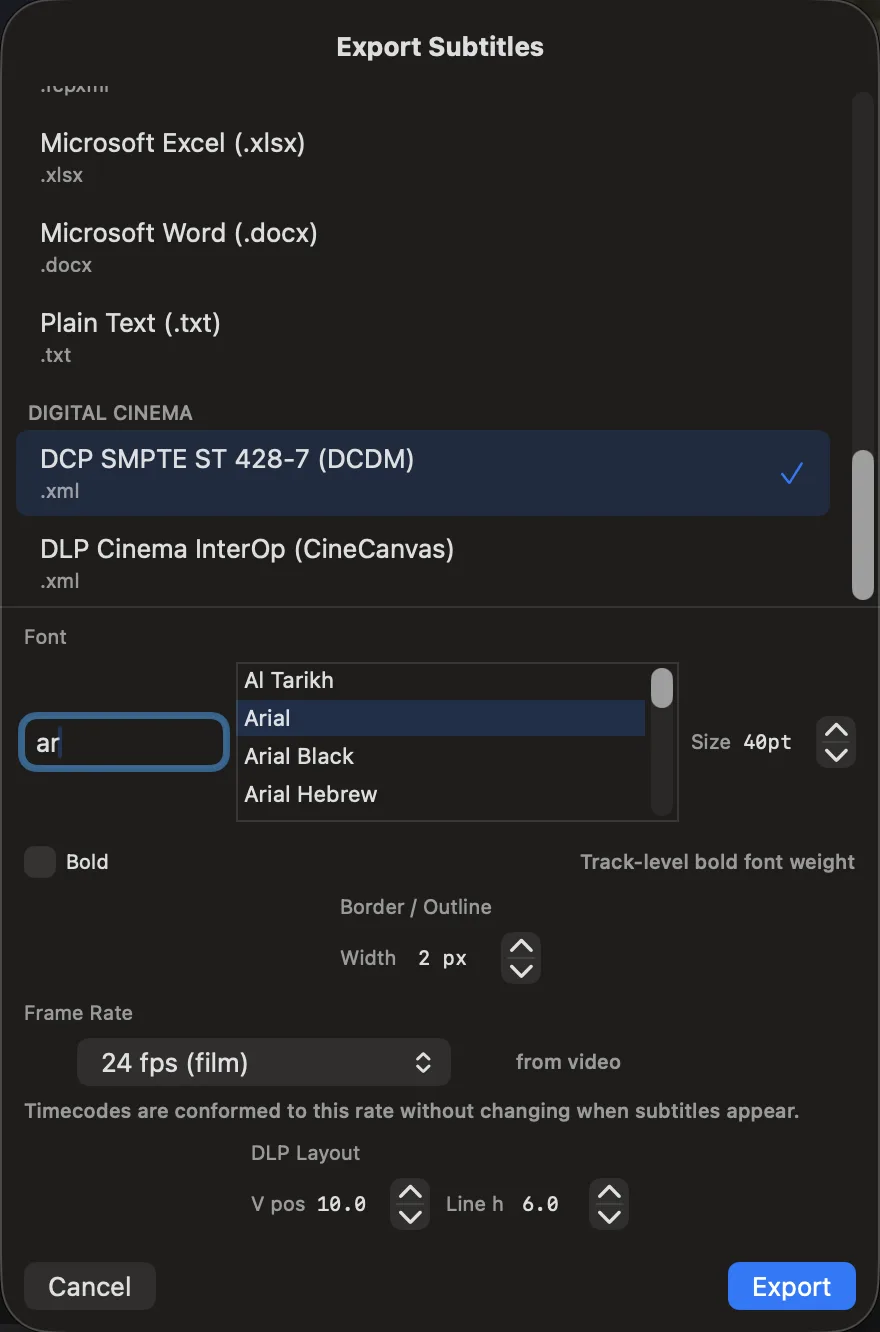
Export dialog
Export to 18 subtitle formats
Issues panel
Issues panel — QC & conformance

Every format professionals rely on

Import and export the industry-standard subtitle formats. Everyday and interchange formats are free; broadcast & cinema delivery is unlocked with Pro.

Free — import & export

Free

SRT

SubRip Text — the universal subtitle format

Free

WebVTT

Web Video Text Tracks for HTML5 video

Free

TTML

Timed Text Markup Language (W3C)

Free

DaVinci TTML

TTML tuned for DaVinci Resolve import

Free

ASS / SSA

Advanced SubStation Alpha styled subtitles

Free

FCP XML

Final Cut Pro interchange (import & export)

Free

Premiere XML

Adobe Premiere Pro CC / xmeml round-trip

Free

AVID

Avid Media Composer caption interchange

Free

TXT · DOCX · XLSX

Plain text, Word and Excel for review & hand-off

Free

DCP SMPTE

SMPTE 428-7 digital-cinema subtitles

Free

DCP InterOp

InterOp digital-cinema subtitles

Pro — broadcast & cinema delivery

Pro

EBU STL

EBU Tech 3264 broadcast subtitles

Pro

SCC

CEA-608 / 708 closed captions

Pro

Netflix TTML

Netflix-conformant timed text (IMSC)

Pro

Amazon DFXP

Amazon / Prime Video DFXP delivery

Pro

iTunes TTML

Apple iTunes / TV timed text

Round-trips with your NLE

Move subtitles in and out of your edit via FCP XML, Premiere CC XML, and Avid DS/MC caption text — keep them synchronized without leaving your timeline.

Final Cut Pro

Import and export FCP XML. Subtitles land in your timeline with frame-accurate timing.

DaVinci Resolve

Hand off via a DaVinci-tuned TTML profile and FCP XML — import subtitle tracks straight into Resolve.

Premiere Pro

CC XML round-trip with Premiere Pro. Edit subtitles in AlphaSub and bring them back to your sequence.

Avid Media Composer

Import and export Avid DS & Media Composer caption text (.txt) — frame-accurate hand-off to and from Avid.

Final Cut Pro is a registered trademark of Apple Inc. DaVinci Resolve is a registered trademark of Blackmagic Design. Adobe Premiere Pro is a registered trademark of Adobe Inc. Avid and Media Composer are registered trademarks of Avid Technology, Inc. AlphaSub is not affiliated with, endorsed by, or sponsored by any of these companies.

On-device by default. Cloud when you need it.

AlphaSub runs speech recognition, translation, and speaker diarization entirely on your Mac — private, offline, and free. Need more power? Connect cloud AI — DeepL or an external model (OpenAI, Anthropic Claude, Google Gemini, Mistral, and more) with your own subscription or API key. Cloud AI is a Pro feature; on-device AI is always free.

  • On-device (free): speech recognition, translation & diarization on your Mac
  • On-device AI runs fully offline — zero data leaves your Mac
  • Cloud (Pro): DeepL or external models — OpenAI, Claude, Gemini, Mistral, OpenRouter, DeepSeek… — with your own key
  • You choose per task — nothing goes to the cloud unless you pick a cloud engine
  • Local servers (free): connect Ollama, LM Studio, LocalAI, AnythingLLM or MTPLX — on your Mac or another on your network
On-device AI

Pro features for broadcast & cinema

Advanced delivery formats, live output, batch workflows, and collaboration — unlocked with a Pro license.

Broadcast & Cinema Export

EBU STL, SCC (CEA-608/708), Netflix TTML, Amazon DFXP, iTunes TTML, and DCP SMPTE / InterOp — with pre-export conformance checks.

Video Export & Render Queue

Render deliverables with burned-in subtitles — ProRes and DNx masters, H.264/HEVC in MOV, MP4 or MKV — with platform presets, timecode window, watermark and a batch render queue.

DCP Authoring & Playback

Author subtitle Version Files or full Original Versions (InterOp & SMPTE), play DCPs in real time on Apple Silicon, open encrypted packages (SMPTE 429-6), issue KDMs and run deep QC with an HTML report.

Blackmagic Live Output

Direct SDI / HDMI output via Blackmagic DeckLink cards. Real-time subtitle burn-in for live broadcast and mastering.

Live Collaboration (Beta channel)

Real-time multi-editor collaboration with conflict-free sync. Host or join a session and edit together, instantly.

Batch Export

Export multiple tracks and multi-language deliverables in one pass — ideal for season and multi-title packages.

Season Bible

Keep names, terms, and translation choices consistent across episodes with a shared bible and consistency checks.

Cloud AI Models

Connect DeepL or an external LLM — OpenAI, Anthropic Claude, Google Gemini, Mistral, OpenRouter, or any OpenAI-compatible endpoint — with your own subscription/API key for higher-quality translation. On-device AI stays free.

Secure Mode (Beta channel)

Air-gap the app for confidential content — block all network egress while you work on embargoed titles.

A full DCP toolkit, built in

Author, play, encrypt and deliver Digital Cinema Packages without leaving your subtitling workflow — from a subtitle-only Version File to a complete encrypted multi-reel OV with KDMs.

FreeSimple DCP authoring — one reel, one CPL, InterOp or SMPTE — is Free. Multi-reel, multi-CPL, encryption and KDM delivery are Pro.
Free for simple packages

Version Files & Original Versions

Ship a tiny subtitle-only VF that references the source DCP's picture and sound, or a full self-contained OV. InterOp (CineCanvas) and SMPTE (ST 428-7 subtitles wrapped in 429-5 MXF) — your choice, per package.

Pro

Single & Multi-Reel, Single & Multi-CPL

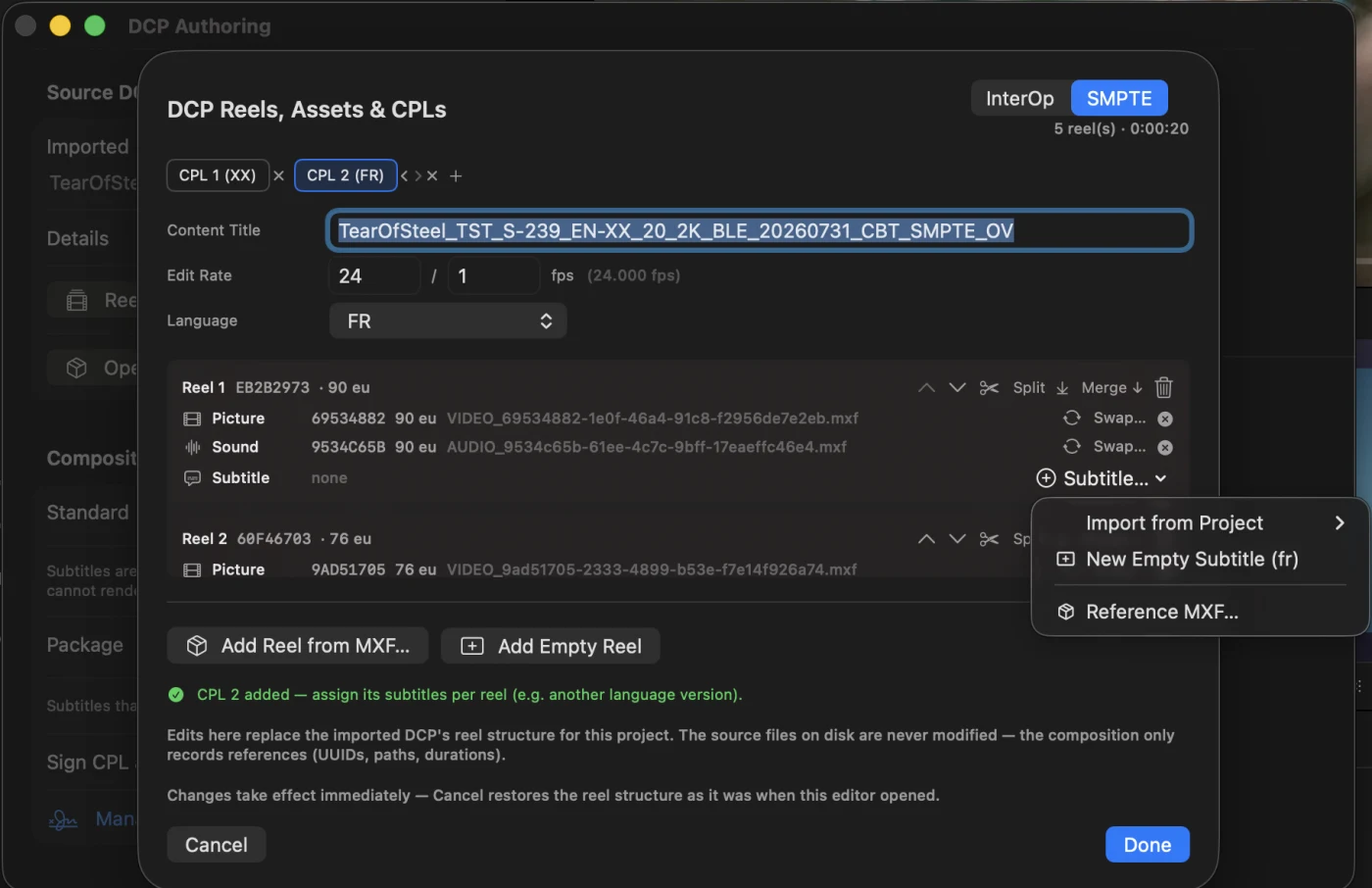
Build compositions reel by reel from loose MXF track files, or reshape an imported DCP — split, merge and reorder reels. Pack one CPL per language in a single package, add a subtitle-free XX CPL, or emit one VF per language.

Copy, Reference or Rewrap Media

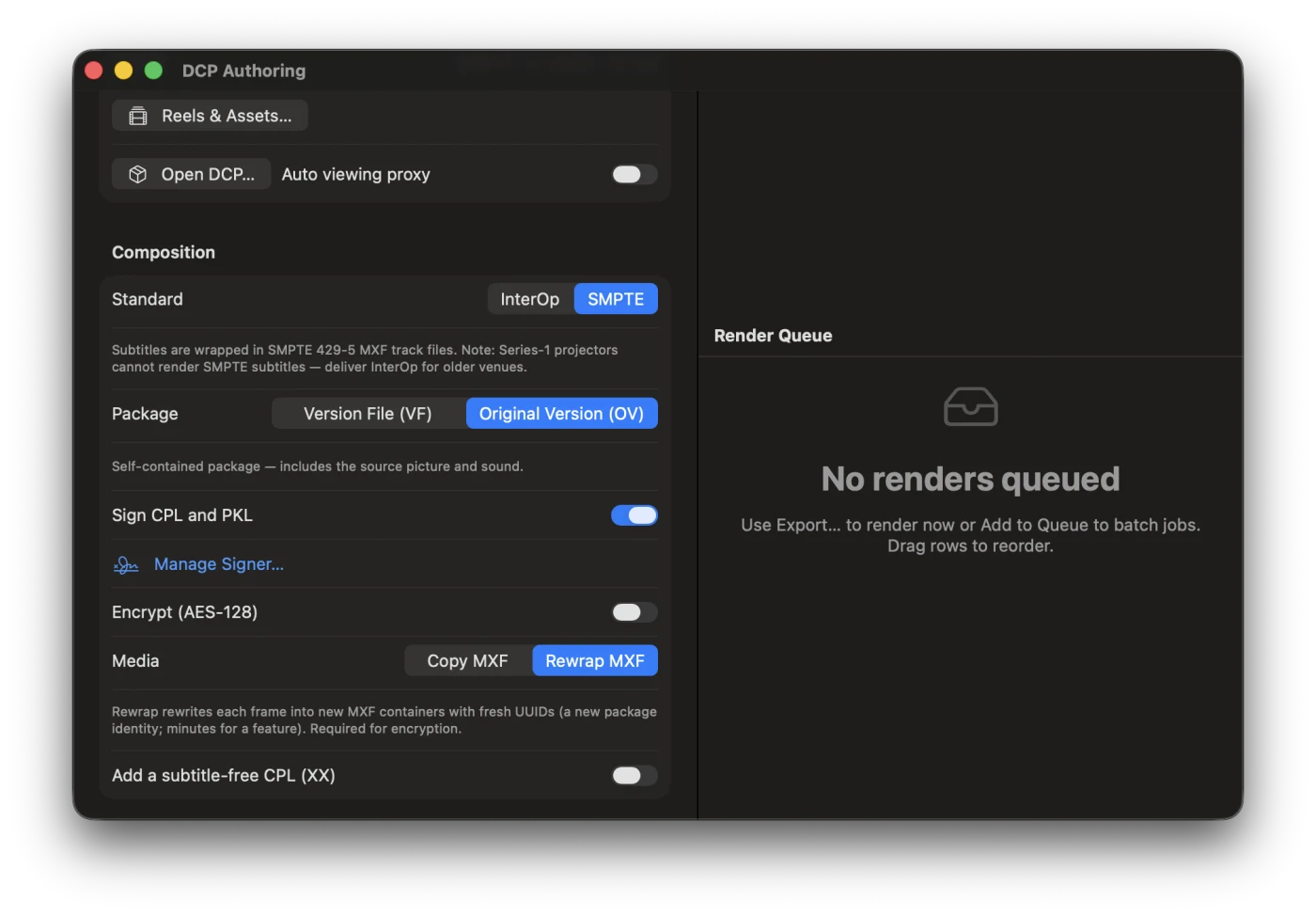
A VF references source assets by UUID — nothing is duplicated. An OV copies picture and sound bit-exact, or rewraps essence frame by frame into fresh MXFs with new UUIDs (asdcplib). The picture is never re-encoded.

Pro

Encryption & Signing

SMPTE 429-6 AES-128 encryption with per-asset keys, XML-DSig signed CPL/PKL under a DCI-compliant chain — auto-generated or your registered facility signer. Keys are saved as .keys.json and kept in the app keystore.

Pro

KDMs & EasyDCP Interop

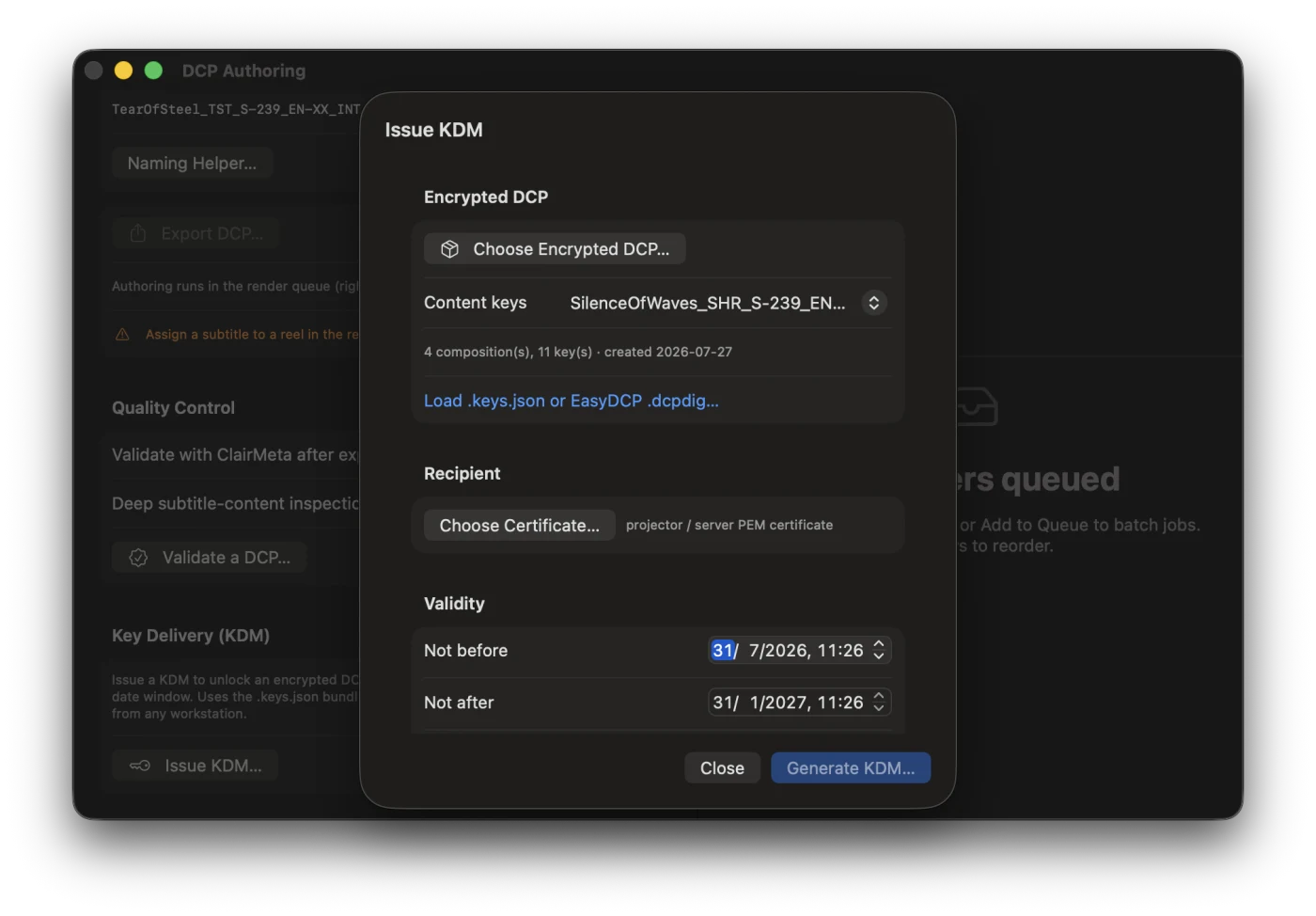
Issue KDMs (SMPTE 430-1/430-3) to any projector or server certificate, with a validity window, from any workstation. Import EasyDCP .dcpdig digests to unlock — or issue KDMs for — packages encrypted by EasyDCP.

Free

Real-Time DCP Playback

Play the actual package — JPEG2000 decoded in real time with GPU X'Y'Z'→Rec.709 conversion. Multi-reel and encrypted, with the DCP's own audio as the master clock. Spot and review subtitles against the real picture, no proxy transcode.

Deep QC & ISDCF Naming

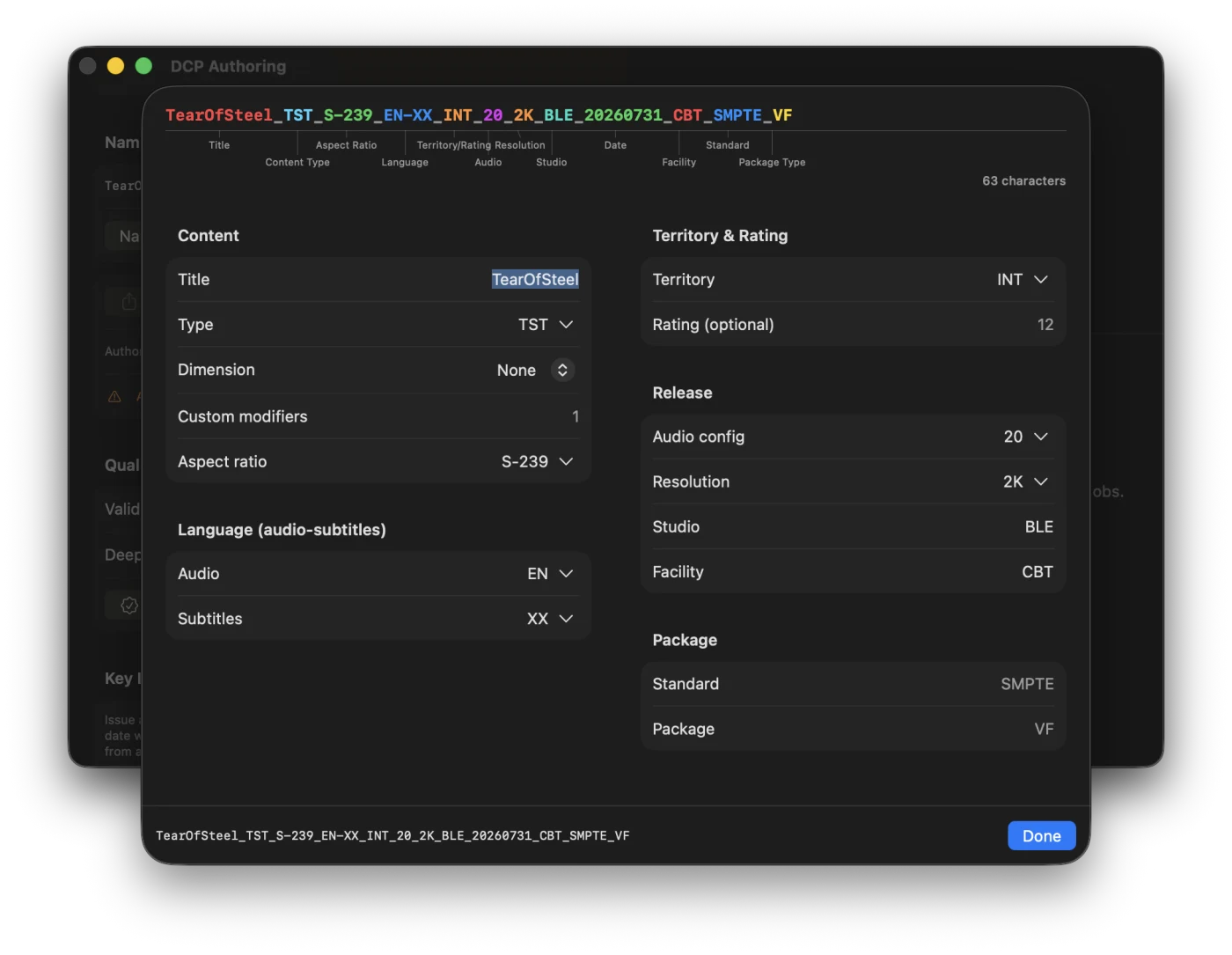
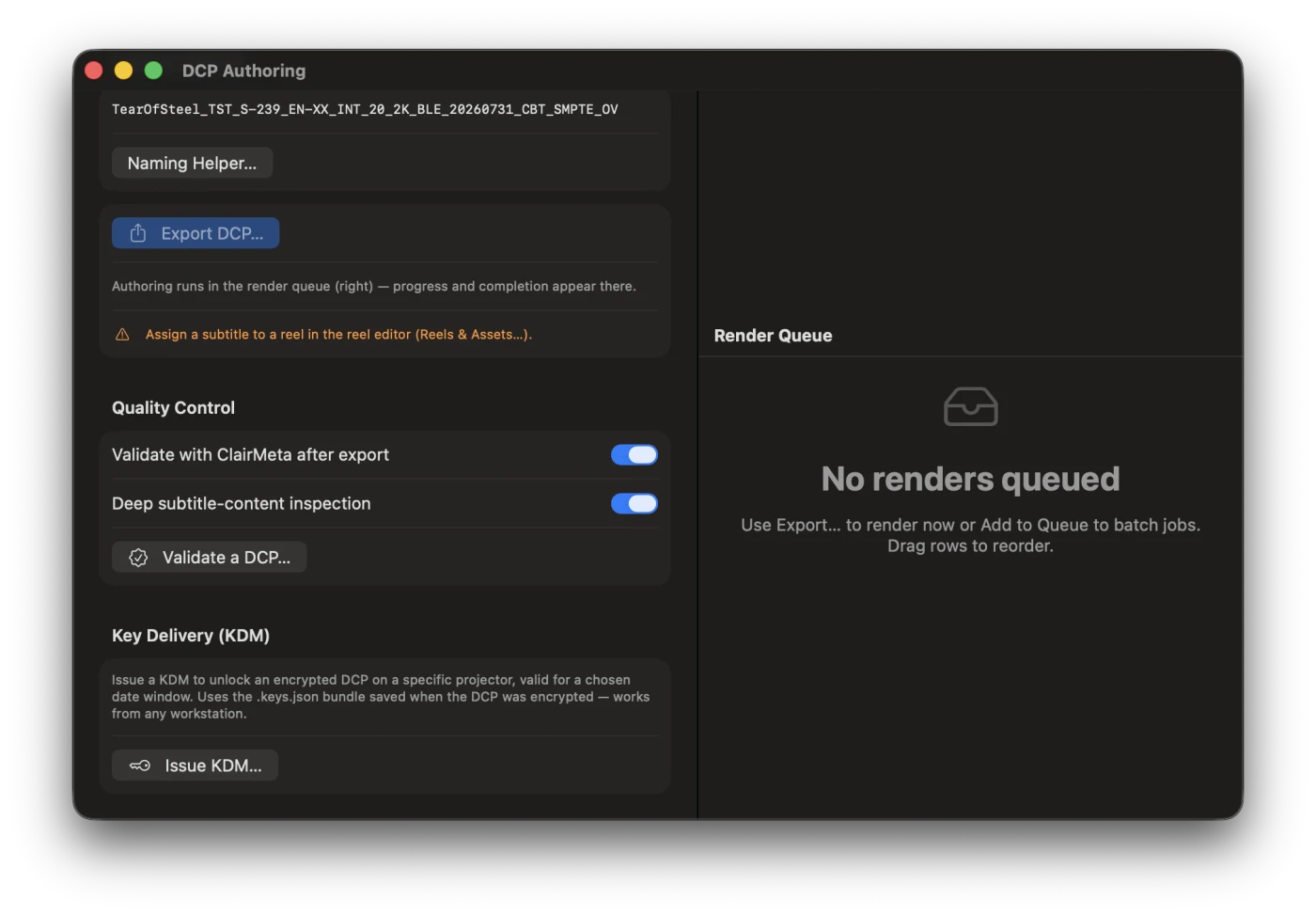
Validate with ClairMeta (~288 checks) plus asdcp subtitle-content inspection, and export a styled HTML report. Pre-export timecode checks and a guided ISDCF/DCNC naming helper keep packages compliant.

Real-time DCP playback
Real-time DCP playback — multi-reel, straight from the package
DCP Authoring window
DCP Authoring — OV/VF, signing, encryption, media modes
Reel and asset editor
Reel & Asset Editor — multi-reel, multi-CPL compositions
ISDCF naming helper
ISDCF/DCNC naming helper
Issue KDM sheet
Issue KDMs to any projector certificate
DCP quality control
ClairMeta validation with HTML report

Typical workflows

Add a language to a finished DCP

Open the distribution DCP, spot or import the new subtitles against the real picture, and export a Version File — megabytes, not another 200 GB copy. One VF per language, or every language in a single multi-CPL package.

Rebuild a package from track files

Assemble reels from loose picture and sound MXFs, lay in subtitle tracks, rewrap into a fresh OV, encrypt — then issue one KDM per screen.

QC before festival delivery

Play the DCP end-to-end to check sync and reel boundaries, run deep ClairMeta validation, and attach the HTML report to the delivery.

Compatible by design

Every AlphaSub project is the same file on Free and Pro. Author and QC on Free, then hand it to a Pro finisher for delivery — nothing is lost in between.

Capability Free€0 Pro€199 · one-time
Authoring, editing & timeline tools
On-device & local AI (transcription, translation, diarization)
Everyday & interchange export (SRT, WebVTT, TTML, FCP XML, Premiere, AVID…)
Import — every format
Quality & QC (spelling, grammar, breaks & layout, conformance)
Broadcast & streaming delivery (EBU STL, SCC, Netflix / Amazon / iTunes)
DCP authoring — simple package (InterOp or SMPTE, 1 reel, 1 CPL)
DCP authoring — multi-reel, multi-CPL, encryption & KDMs
Blackmagic DeckLink live output
Batch & multi-language export
Season Bible — cross-episode consistency
Cloud AI models (DeepL + your own subscriptions)
Live Collaboration & Secure Mode Beta channel
Price €0 · forever €199 · one-time

Pro is €199 at launch (→ €299 from v2), a one-time purchase with lifetime updates & free upgrades. Beta testers get 25% off Pro v1.

Start on Free, finish on Pro

Some productions begin on the Free tier — spotting, editing and full QC — then hand the project to a professional with a Pro license for broadcast, streaming or cinema delivery. The .alphasub file is identical at every tier, so quality and QC carry through to the finished product.

Free

Author & edit

Spot, translate on-device, style and time — free, no account.

Free · QC

Check quality

Spelling, grammar, breaks & layout and conformance QC run on Free too.

Pro

Deliver on Pro

The same project opens on Pro for broadcast/cinema export, DeckLink and batch.

Pro is coming.
Get in early.

Pro isn't for sale yet. Become a beta tester now, help shape it, and get 25% off at launch.

Beta Tester
Beta access is completely free — no payment now, no card required.

For reference — the future Pro price (Pro is not for sale yet):

199
Planned launch price €299 final

One-time purchase · lifetime updates & upgrades · no subscription

  • All Pro export formats (STL, SCC, DCP, Netflix / Amazon / iTunes TTML)
  • Video export (ProRes / DNx / H.264 / HEVC) & DCP authoring with encryption and KDMs
  • Blackmagic DeckLink live output
  • Batch export & Season Bible
  • Cloud AI models & real-time collaboration
  • Lifetime upgrades to v2+

Join now for free and help shape AlphaSub. When Pro goes on sale, beta testers get 25% off. We'll email your free beta license once approved.

For schools & universities

The Educational plan is the same price as Pro, but sold as a site license — one license per school that deploys to every workstation, no per-seat activation. Ideal for film schools and media programs.

Ask about Education licensing

Free to download. Free to subtitle.

Author and edit projects for free — import, spot, style, on-device AI, and everyday formats are all included. Broadcast & cinema delivery is unlocked with Pro (in beta soon).

Requires macOS 14 Sonoma or later · Apple Silicon & Intel · Universal build

AlphaSub video preview